Window Mode
You can enter Window Mode by triggering command.moveAndFocusToWindow. You can also assign a dedicated shortcut for this mode.
Select a Window
Section titled “Select a Window”By default, Window Mode highlights windows and menu bar items in the current space, and provides a hint for each target.
For windows, typing the hint activates the target window and moves the cursor to its center. You can also press Enter to move the cursor to the current window.
For menu bar items, typing the hint moves the cursor to that item and performs a left click.
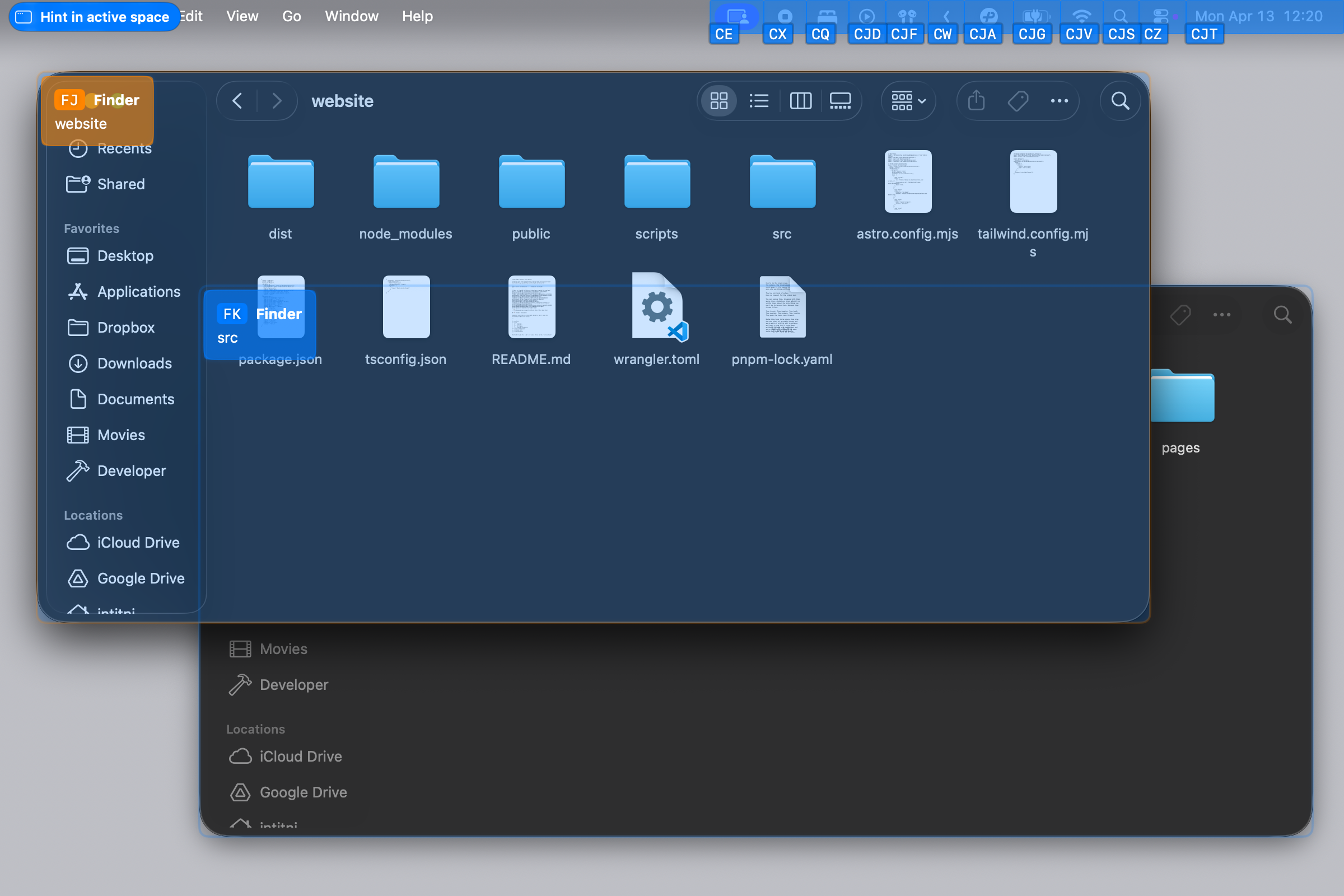
If you know a window’s hint, type it directly to jump to that window in another Space without opening the list first. Hold Option to view windows from the current and other Spaces on each display and look up their hints. You can keep entering a hint after releasing Option.
Favorite windows are managed from Element Menu Mode, not from Window Mode. Use command.enterElementMenuModeForFocusedWindow when the window you want to keep is focused, then choose Favorite Window. Their favorite status and numbers are restored after restarting Cursor Crane, as long as those windows remain open.
Related Commands
Section titled “Related Commands”| CommandIdentifier | Action |
|---|---|
command.moveAndFocusToWindow | Move and focus to window |
command.moveAndFocusToPreviousWindow | Move and focus to previous window |