Create an API-Powered Tool Panel on Your Mac
Turn information you check often into a small panel you can open with a keyboard shortcut. Describe what you want to an AI coding assistant and let it build the panel using Cursor Crane’s generated scripting instructions and API types.
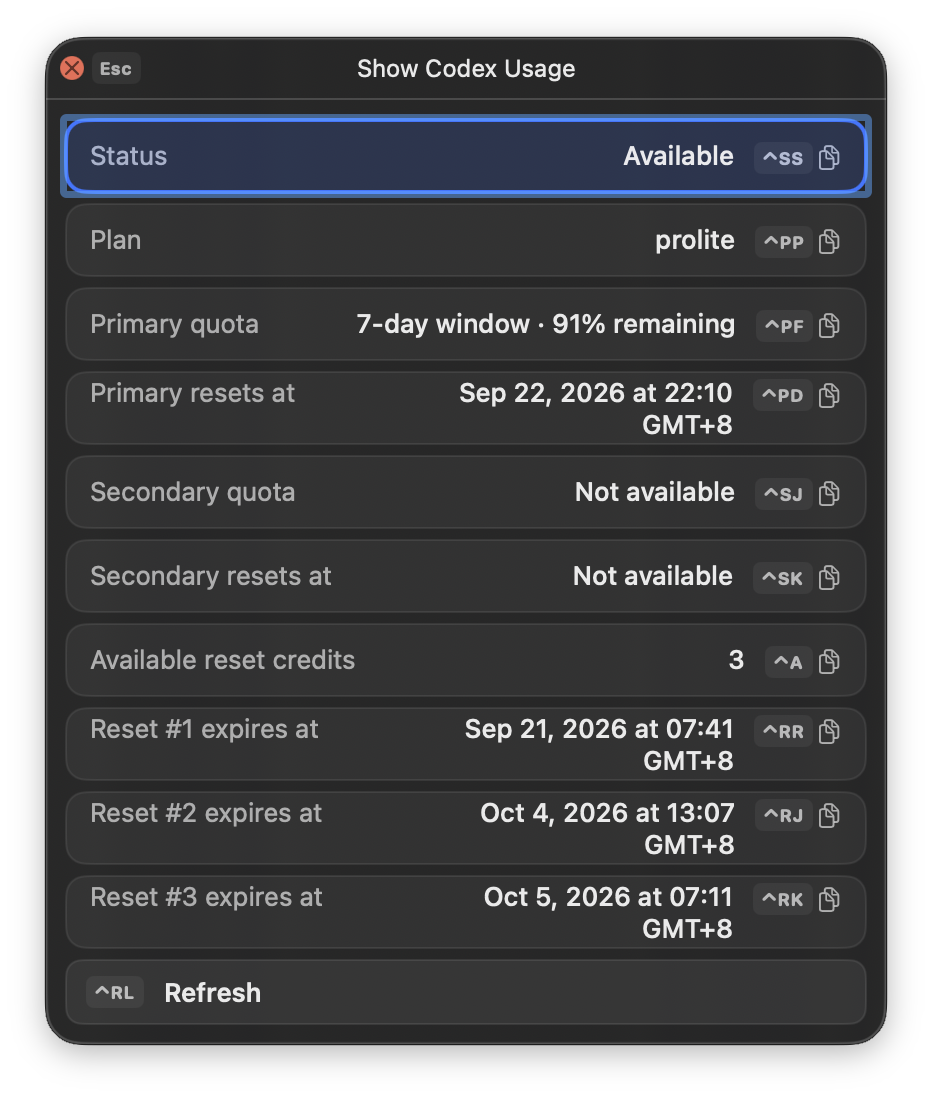
For example, the Codex Quota panel shared on Discord calls APIs to display remaining quota, reset times, and available reset credits. It includes refresh and retry buttons and closes when it loses focus.
Before you start
Section titled “Before you start”Open Settings > Scripts and locate the selected script folder. Cursor Crane generates AGENTS.md and .cursorcrane/cursorcrane.d.ts there, giving an AI assistant the instructions and API definitions it needs.
Have a description of the information you want and the API documentation or an existing script to use as a reference.
-
Open the script folder in your AI coding tool, or give an assistant with local file access its path.
-
Ask it to read the generated instructions and types, then describe the panel you want. For example:
Read AGENTS.md and .cursorcrane/cursorcrane.d.ts in this folder. Create a Cursor Crane tool panel for checking my Codex quota, using the Codex Quota example script I provide as a reference. Show remaining quota and reset times, plus available reset credits and expiration dates. Add refresh and retry buttons, and close the panel when it loses focus. Save the script in this folder. If information is missing, ask me.
-
Provide the example script to the assistant. You can get it from the Discord script-sharing channel; for another service, provide its API documentation instead.
-
Refresh the list in
Settings > Scripts, assign the generated script a command sequence or shortcut, and run it. -
Check the results. Ask the assistant to adjust the displayed fields or fix any errors, then refresh the script list and try again.
The same workflow works for a service-status viewer or another API lookup tool: change the data source and describe what you want to see.
What to check
Section titled “What to check”The Codex example requires a usable local Codex login and jq in the script’s shell environment. It reads login information locally; keep credentials out of prompts and shared scripts. Its API and login-file assumptions may need updating if the service changes.
For more about loading and running scripts, see Using Scripts.